





Free Inventory Management Excel Template — Download .xls
Effective inventory management is critical for any business that wants to optimize resources and keep products continuously available. Download our free Excel template and take control of your stock.
- Get full visibility into your inventory
- Sharpen your supply chain strategy
- Cut supply chain risk
- Receive the template directly by email
Download the template
Get your inventory management template delivered straight to your inbox.
Thank you for your request!
You will receive the Inventory Management template by email in a few moments.
Take control of your inventory with Weproc
Excel is a great starting point, but as your business grows, specialized software delivers the visibility and automation that spreadsheets can't.
Spend category management
Monitor spending across every procurement category. Get the clarity you need to make smarter decisions and reduce costs day-to-day.
Data analytics
Analyze statistical inventory reports using a range of KPIs. Master your stock levels and supply chain while minimizing risk.
Supplier management
Manage your supplier directory, centralize communications, and track every exchange in real time.
Product catalog
Centralize your products in a custom catalog to streamline operations and gain a complete view of your inventory.
Why use Excel for inventory management?
Excel is a versatile inventory management tool that adapts to the specific needs of any business:
- Ease of use: Excel's intuitive interface lets you build and manage stock sheets without advanced technical skills.
- Flexibility: Spreadsheets are fully customizable — whether you need daily inflow/outflow tracking or monthly trend analysis.
- Cost-effectiveness: Unlike dedicated inventory software, Excel is already available in most organizations, eliminating the need for additional investment.
What's inside our inventory management template?
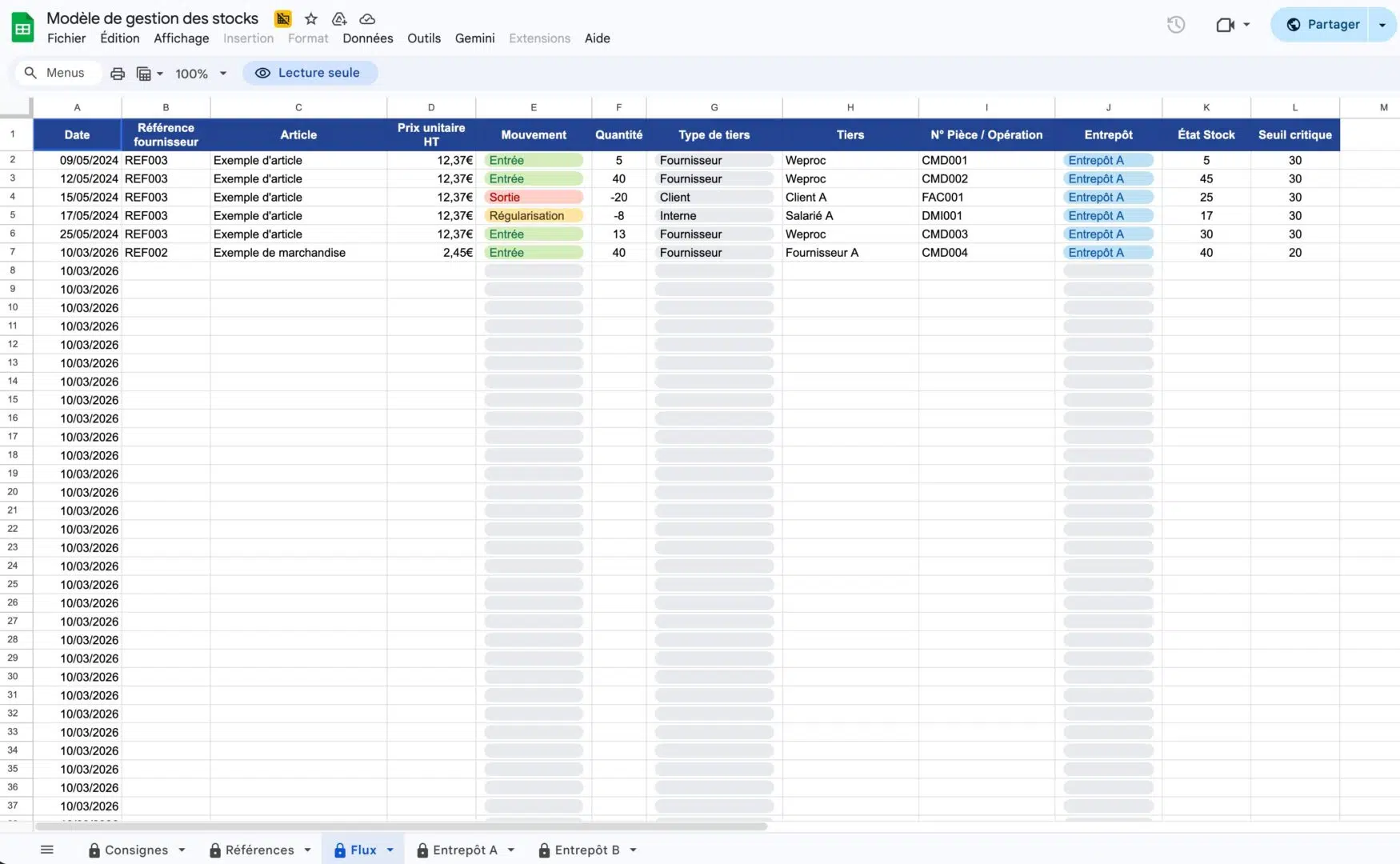
Stock sheet
An Excel stock sheet is a structured document that records all key information about stocked items: product name, product code, quantity on hand, inflow and outflow dates, purchase price, and selling price. With this data, you can track stock movements in real time and ensure every required product stays available.
Stock movements (inflows and outflows)
Tracking stock movements is essential for maintaining an accurate picture of inventory levels. Every movement is recorded in the template via two main columns: inflows and outflows.
- Inflow: Records new quantities received after a purchase or product return.
- Outflow: Deducts quantities sold or consumed in internal production.
This not only helps monitor product flow but also enables more accurate forecasting of future replenishment needs.
Analysis and reporting
Excel's analytical capabilities let you generate detailed reports on inventory performance:
- Stock trends: Identify which products sell fast and which are sitting idle.
- Forecasts: Use historical data to predict future stock demand.
- Key metrics: Monitor KPIs such as inventory turnover rate, average storage time, and more.
Customization and advanced formulas
Using complex formulas
Automate key aspects of inventory management by adding complex formulas to the template:
- SUMIF: Calculate total quantities based on specific criteria such as dates or product categories.
- VLOOKUP: Retrieve specific values linked to different entries.
- CONDITIONAL FORMATTING: Visually flag anomalies, such as critically low stock levels.
Pivot tables
Pivot tables offer a powerful way to analyze stock movements and trends. They let you summarize large datasets and quickly identify important indicators.
Macros for automation
VBA macros in Excel can automate repetitive tasks: daily stock level updates, automatic weekly/monthly report generation, and automatic alerts when stock falls below set thresholds.
Frequently asked questions
Optimize inventory management with Weproc
See how Weproc streamlines your operations, centralizes your products, and automates your supply chain.
Book a free demo